Storage & Data
3-Bay IDE/SATA Offline Clone Dock
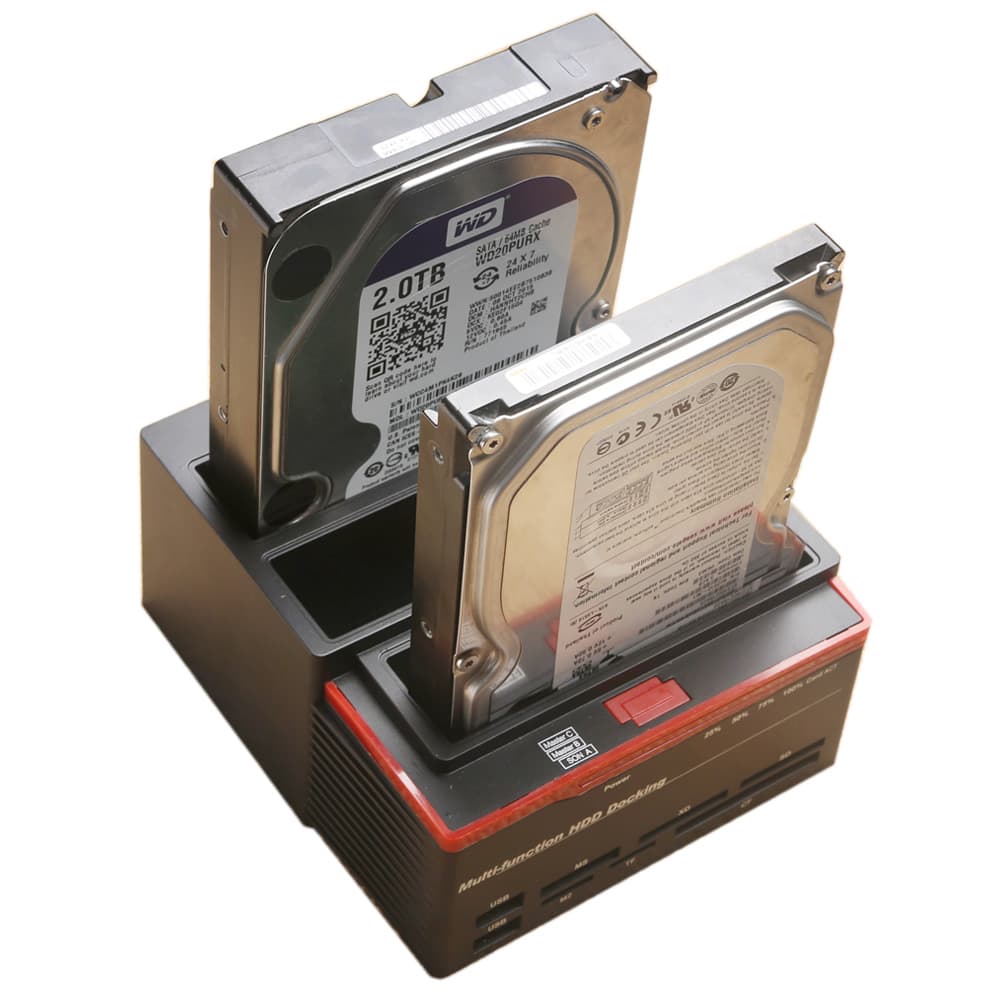
A bench-side dock for reading, transferring and cloning bare drives without installing them in a machine. One IDE bay and two SATA bays take 2.5-inch and 3.5-inch drives, and it clones one drive to another with no computer connected.
 1 / 7 images
Free shipping on orders of $59+
Ordering opens at launch
Leave your email and we'll write when you can order. Questions before then? .
- Shipping
- Standard shipping is a flat $5.99, and free on orders of $59 or more, to Puerto Rico, Washington DC and the contiguous United States. Shipping options and costs will be shown at checkout once ordering opens. Full shipping policy
- Returns
- You may request a return within 30 calendar days of your order's confirmed delivery date. Requesting a return does not automatically guarantee a refund. Full return policy
- Questions
- Contact support
Overview
Most drive work does not happen inside a case. A drive comes out of a dead machine, or off a shelf, and you need to read it, copy it, or find out whether it still spins — and mounting it in a working computer to do that is slow and awkward. This dock is for that job: drop the drive in, power it on, and it is there.
The dock has three bays, and they are not interchangeable — one is IDE and two are SATA, which is worth knowing before you order:
- Top bay — IDE, for 2.5-inch and 3.5-inch drives
- Middle bay — SATA, for 2.5-inch and 3.5-inch drives
- Bottom bay — SATA, for 2.5-inch and 3.5-inch drives
The IDE bay is the reason to own one of these. Drives from that era are the ones most likely to be sitting in a drawer waiting to be read, and most modern docks dropped the interface years ago.
Offline cloning, with no computer
The two upper bays are marked Master B and Master C; the lower bay is marked SON A. Cloning runs from either Master bay (B or C) to the SON bay (A) with nothing else connected — press and hold the copy button and a 25% / 50% / 75% / 100% progress bar on the front tracks it. The source drive must be equal to or smaller than the target. The manufacturer rates copying at 70-100 MB/s depending on the drives used.
Cloning only runs in that direction. It is not an any-bay-to-any-bay copier, and it clones one drive to one drive.
Connected to a computer
- USB 3.0 to the host, rated up to 5 Gbps
- Two drives can be accessed at the same time
- Hot swap and tool-free insertion — nothing to screw down, nothing to open
- Two USB 2.0 ports on the front, for a mouse, a keyboard or a stick
- Card reader taking M2, MS, TF, XD, CF and SD cards
What's Included
- The dock
- A 12 V mains power adapter with a US plug
- A USB 3.0 data cable
- A manual
Drive support
- 2.5-inch and 3.5-inch IDE
- 2.5-inch and 3.5-inch SATA, including SATA I, II and III
- Mechanical drives and SSDs
Customer Reviews
No reviews yet.
Be the first to review this product.
Complete your bench